Experimental Features
Igor Pro 10.04 and later include experimental features. An experimental feature is a new or reworked part of Igor that is complete enough to use but that we want feedback on before making it a standard part of the program. Experimental features are turned off by default. You choose which ones to turn on.
For a description of each experimental feature available in this version of Igor, see Current Experimental Features below.
Experimental features are subject to these caveats:
- An experimental feature may be incomplete or may have bugs that would not be acceptable in a standard feature.
- Its behavior, user interface, or programming interface may change in a future version of Igor.
- It may be removed in a future version of Igor.
- It is not covered by the backward compatibility practices that apply to the rest of Igor. Procedures that depend on an experimental feature may need to be changed when you upgrade Igor.
When an experimental feature has matured, we may make it a standard feature, in which case it is no longer listed as experimental and is available without being turned on.
Kinds of Experimental Features
We intend to use experimental features for things such as:
- New implementations of existing functionality, such as a new graph rendering algorithm, where the new implementation is faster or produces better results but may differ in some ways from the old one. Making these experimental lets you compare the new behavior with the old and lets you switch back if the new behavior causes a problem.
- New features whose design is not yet final and that would benefit from feedback from people using them for real work.
- New operations, functions, or options to existing operations whose programming interface may change.
Turning Experimental Features On and Off
To see the available experimental features and turn them on or off, choose Misc->Experimental Features. This displays the Experimental Features dialog, which lists each feature along with a description. Check the features you want to use and click OK.
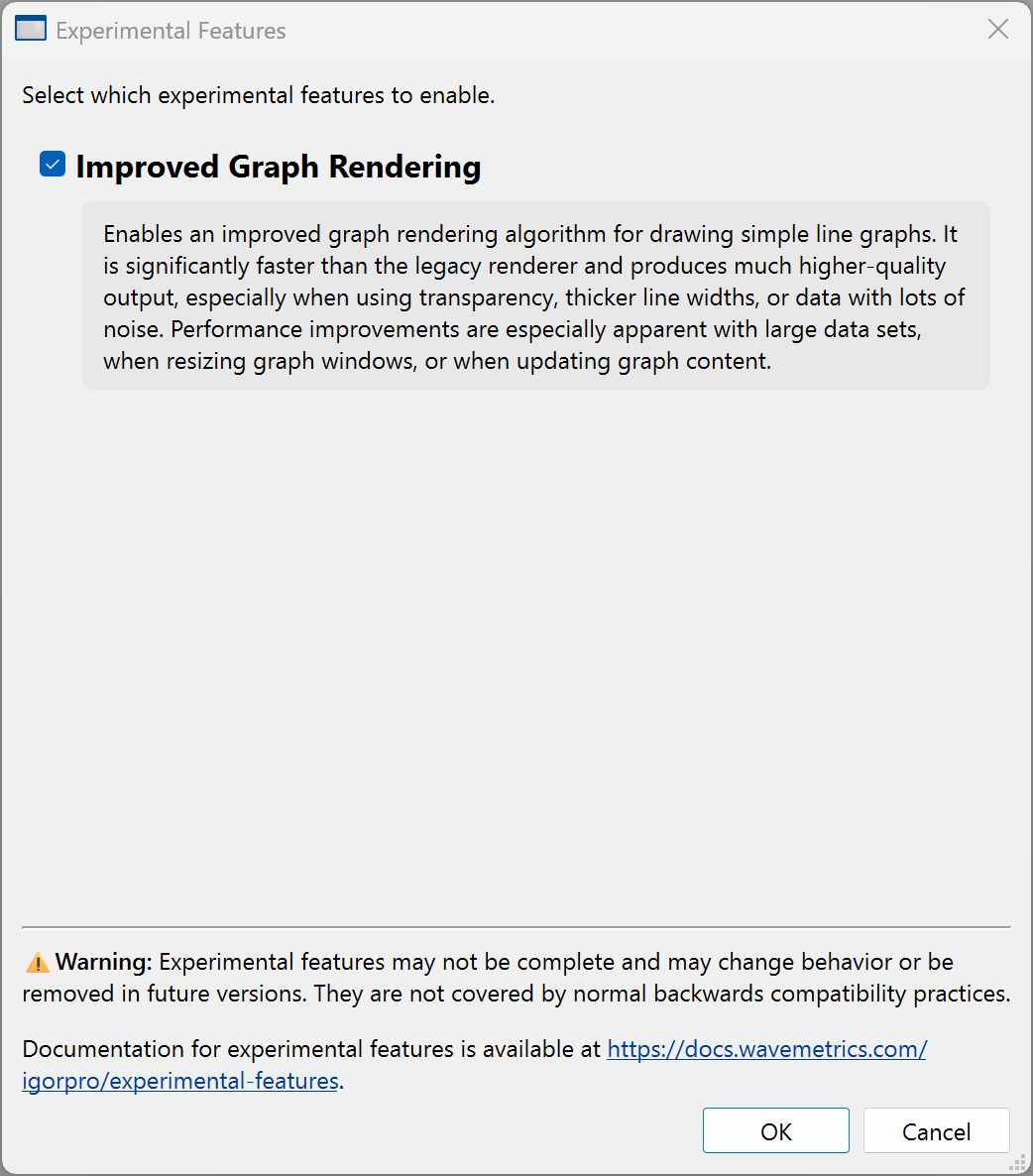
Settings made in the Experimental Features dialog are saved in Igor's preferences and remain in effect in future Igor sessions until you change them.
Most experimental features take effect immediately when you turn them on or off. A feature whose name in the dialog is followed by "(requires restart)" takes effect the next time you launch Igor.
Experimental Features Status Bar Indicator
The status bar at the bottom of Igor's main window includes a beaker icon that indicates whether any experimental features are turned on. The icon is muted when no experimental features are turned on and colored when one or more are turned on. Clicking the icon displays the Experimental Features dialog.
To hide or show the icon, right-click the status bar and choose Hide Experimental Features or Show Experimental Features.
Experimental Features and Technical Support
When you send a support request using Help->Contact Support, or when you view system information using Help->System Information, the information includes a list of any experimental features that are turned on. Crash reports also include this list.
Feedback about experimental features, both positive and negative, helps us decide how to proceed with them. Please let us know by writing to support@wavemetrics.com.
Current Experimental Features
Improved Graph Rendering
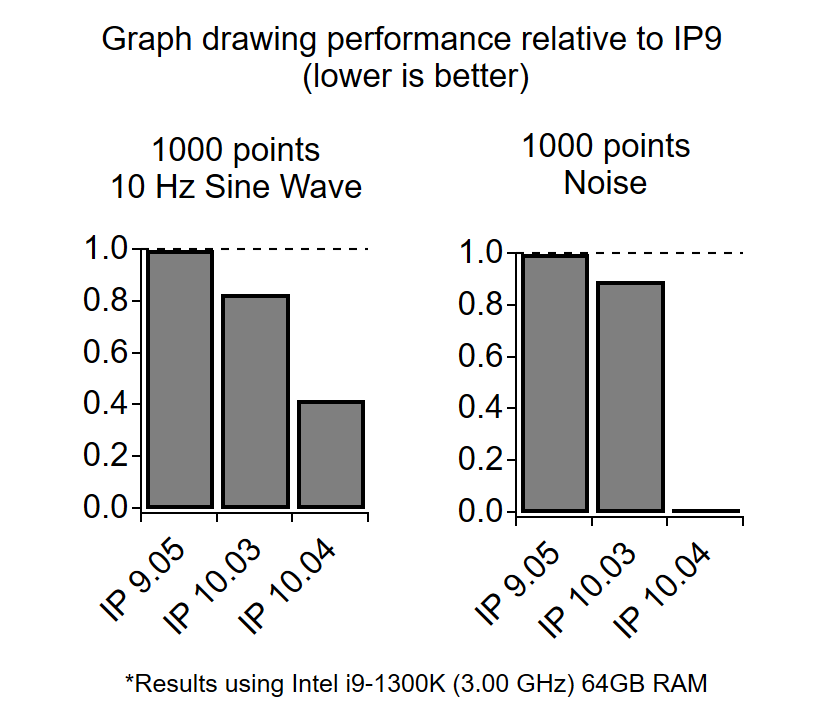
Improved Graph Rendering replaces the legacy algorithm that Igor uses to draw line graphs with a new one. The new renderer draws simple line graphs significantly faster than the legacy renderer and produces much higher quality output, especially when traces use transparency or thicker line widths, or when the data contains a lot of noise.
The following benchmark compares graph update times for the legacy and new renderers using a 1000 point sine wave and a 1000 point wave of pure noise:
 />
/>
Because it is a new implementation, graphs drawn with the new renderer may differ slightly in appearance from graphs drawn with the legacy renderer. If you see a difference that causes a problem, turn the feature off to return to the legacy renderer, and please let us know about it.
To turn Improved Graph Rendering on or off, choose Misc->Experimental Features and check or uncheck it in the list.
Improved Graph Rendering was added in Igor Pro 10.04. See Update 10.04B01 for other changes in that release.